



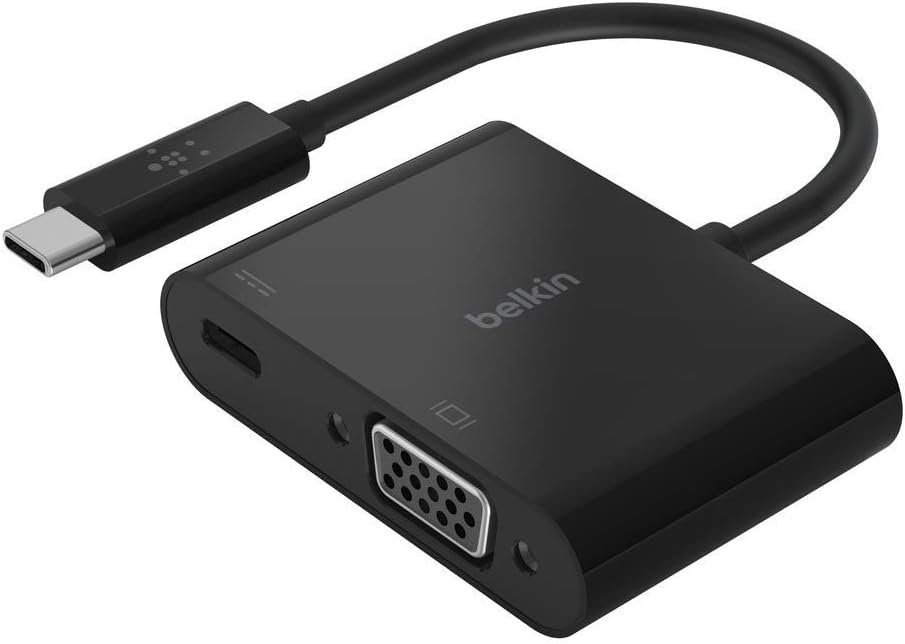
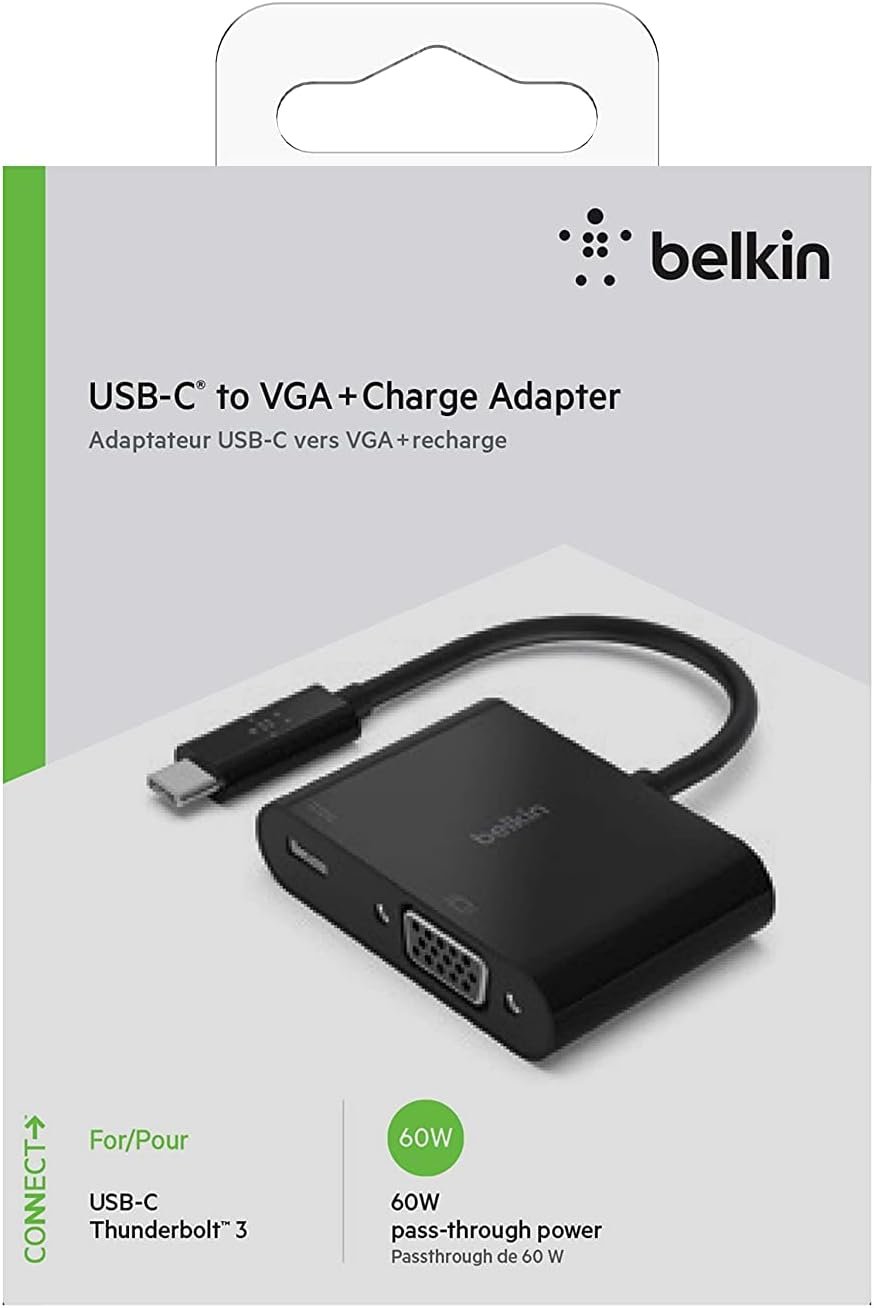
Belkin AVC001btBK Adapter – USB-C to VGA + Charge Adaptor

₨ 4,200.00

Belkin AVC001btBK अडाप्टर एक उपयोगी उपकरण हो जसले तपाईंलाई नयाँ USB-C डिभाइसहरूलाई पुराना VGA स्क्रिन र प्रोजेक्टरसँग जोड्न मद्दत गर्छ। यस अडाप्टरको दुई प्रमुख कार्य छन्: यो VGA मोनिटर वा प्रोजेक्टरमा जडान गर्न मद्दत गर्छ र तपाईंको डिभाइसलाई चार्ज गर्न अनुमति दिन्छ।

मुख्य विशेषताहरू

  1. USB-C देखि VGA जडान: यो अडाप्टरले तपाईंको USB-C ल्यापटप, ट्याब्लेट, वा फोनलाई VGA मोनिटर वा प्रोजेक्टरसँग जडान गर्न मद्दत गर्छ। VGA पुरानो प्रकारको प्लग हो जुन स्क्रिन र प्रोजेक्टरहरूको लागि प्रयोग गरिन्छ। यदि तपाईंको स्क्रिन वा प्रोजेक्टरमा केवल VGA प्लग छ भने, यो अडाप्टरले नयाँ USB-C डिभाइससँग जडान गर्न मद्दत गर्छ।
  2. चार्जिङ पोर्ट: अडाप्टरमा चार्जिङका लागि पोर्ट पनि छ। यसले तपाईंको फोन वा ल्यापटपलाई जडान गर्दा चार्ज गर्न मद्दत गर्दछ।
  3. उत्कृष्ट तस्बीर गुणस्तर: यसले राम्रो तस्बीर गुणस्तरलाई समर्थन गर्छ, जसले गर्दा तपाईंको स्क्रिन स्पष्ट र उज्यालो देखिन्छ। VGA नयाँ प्रविधि नभए पनि, यसले राम्रो डिस्प्ले प्रदान गर्छ।
  4. साना र पोर्टेबल: अडाप्टर सानो र हल्का छ, जसले गर्दा यसलाई सजिलैसँग लैजान सकिन्छ। तपाईं यसलाई झोलामा वा पकेटमा राख्न सक्नुहुन्छ।
  5. आसान प्रयोग: USB-C अन्तलाई तपाईंको डिभाइसमा जडान गर्नुहोस्, VGA केबललाई अडाप्टरको VGA पोर्टमा जडान गर्नुहोस्, र चार्जिङ केबललाई अडाप्टरको चार्जिङ पोर्टमा जोड्नुहोस्। यो अतिरिक्त सफ्टवेयर बिना काम गर्छ।

अतिरिक्त विशेषताहरू

  • विविध डिभाइसहरू सँग मिल्ने: यो अडाप्टर विभिन्न USB-C डिभाइसहरू जस्तै ल्यापटप, ट्याब्लेट, र स्मार्टफोनहरूसँग काम गर्छ।
  • आधुनिक डिजाइन: यसको कालो रंगले आधुनिक र स्टाइलिश लुक दिन्छ, र अन्य टेक एक्सेसोरीसँग राम्रोसँग मिल्दछ।

आकार र तौल

  • आकार: सानो, कीचेनको आकारको।
  • तौल: धेरै हल्का, जसले गर्दा सजिलै ल्याउन सकिन्छ।

प्रयोग गर्ने तरिका

  1. अडाप्टर जडान गर्नुहोस्: USB-C अन्तलाई तपाईंको डिभाइसमा जडान गर्नुहोस्।
  2. VGA केबल जोड्नुहोस्: VGA केबललाई मोनिटर वा प्रोजेक्टरबाट अडाप्टरको VGA पोर्टमा जडान गर्नुहोस्।
  3. डिभाइस चार्ज गर्नुहोस्: चार्जिङ केबललाई अडाप्टरको चार्जिङ पोर्टमा जडान गर्नुहोस् र पावर स्रोतमा जडान गर्नुहोस्।
  4. प्रयोग सुरु गर्नुहोस्: अब तपाईंको डिभाइसको स्क्रिनलाई ठूलो मोनिटर वा प्रोजेक्टरमा देख्न सक्नुहुन्छ र साथसाथै चार्ज पनि गर्न सक्नुहुन्छ।

Belkin AVC001btBK अडाप्टर नयाँ डिभाइसलाई पुराना स्क्रिनसँग जडान गर्न र चार्ज गर्नको लागि एक उपयोगी उपकरण हो। यो कार्य वा स्कूलको लागि आदर्श छ र तपाईंको टेकलाई अझ सजिलो बनाउँछ!

Description

The Belkin AVC001btBK Adapter is a cool tool that helps you connect your new USB-C devices to old screens and also keep your device charged. This adapter has two functions: it connects to a VGA monitor or projector, and it also allows you to charge your device at the same time.

AVC001btBK  Key Features

  1. USB-C to VGA Connection: This adapter lets you connect your USB-C laptop, tablet, or phone to a VGA monitor or projector. VGA is an old type of plug used for screens and projectors. If your screen or projector only has a VGA plug, this adapter helps you connect it to your newer USB-C device.
  2. Charging Port: The adapter also has a port for charging your device. This means you can keep your phone or laptop charged while you use it with the VGA screen.
  3. High-Quality Picture: It supports good picture quality, so your screen will look clear and bright. VGA may not be the newest technology, but it still provides a nice display for your work or entertainment.
  4. Compact and Portable: The adapter is small and easy to carry around. You can easily put it in your bag or pocket and take it with you wherever you go.
  5. Easy to Use: Just plug the USB-C end of the adapter into your device, connect the VGA cable to the other end, and plug in a charging cable to keep your device charged. It’s simple and doesn’t need any extra software.

AVC001btBK  Additional Features

  • Works with Many Devices: This adapter works with various USB-C devices like laptops, tablets, and smartphones.
  • Sleek Design: The adapter has a modern black design that looks great and fits well with other tech accessories.

AVC001btBK  Size and Weight

  • Size: It’s small, about the size of a keychain.
  • Weight: Very light, so it’s easy to carry.

AVC001btBK  How to Use

  1. Connect the Adapter: Plug the USB-C end of the adapter into your device.
  2. Hook Up the VGA Cable: Connect a VGA cable from your monitor or projector to the VGA port on the adapter.
  3. Charge Your Device: Plug a charging cable into the adapter’s charging port and connect it to a power source.
  4. Start Using: Now you can see your device’s screen on the bigger monitor or projector and keep it charged at the same time.

The Belkin AVC001btBK Adapter is perfect for connecting new devices to old screens and keeping them charged. It’s great for work or school and makes using your tech even easier!

Why Buy From Arshita?

  • Genuine Products
  • Fast Delivery Across Nepal
  • Warranty Support
  • Secure Payment
Contact Us

Reviews

There are no reviews yet.

Be the first to review “Belkin AVC001btBK Adapter – USB-C to VGA + Charge Adaptor”

Your email address will not be published. Required fields are marked *